
Website Chat vs WhatsApp: Which Generates More Direct Bookings?
For tour operators, the gap between a website visitor and a confirmed booking often comes down to a single question about meeting points, group sizes, or…
 By Femke Irik··8 min read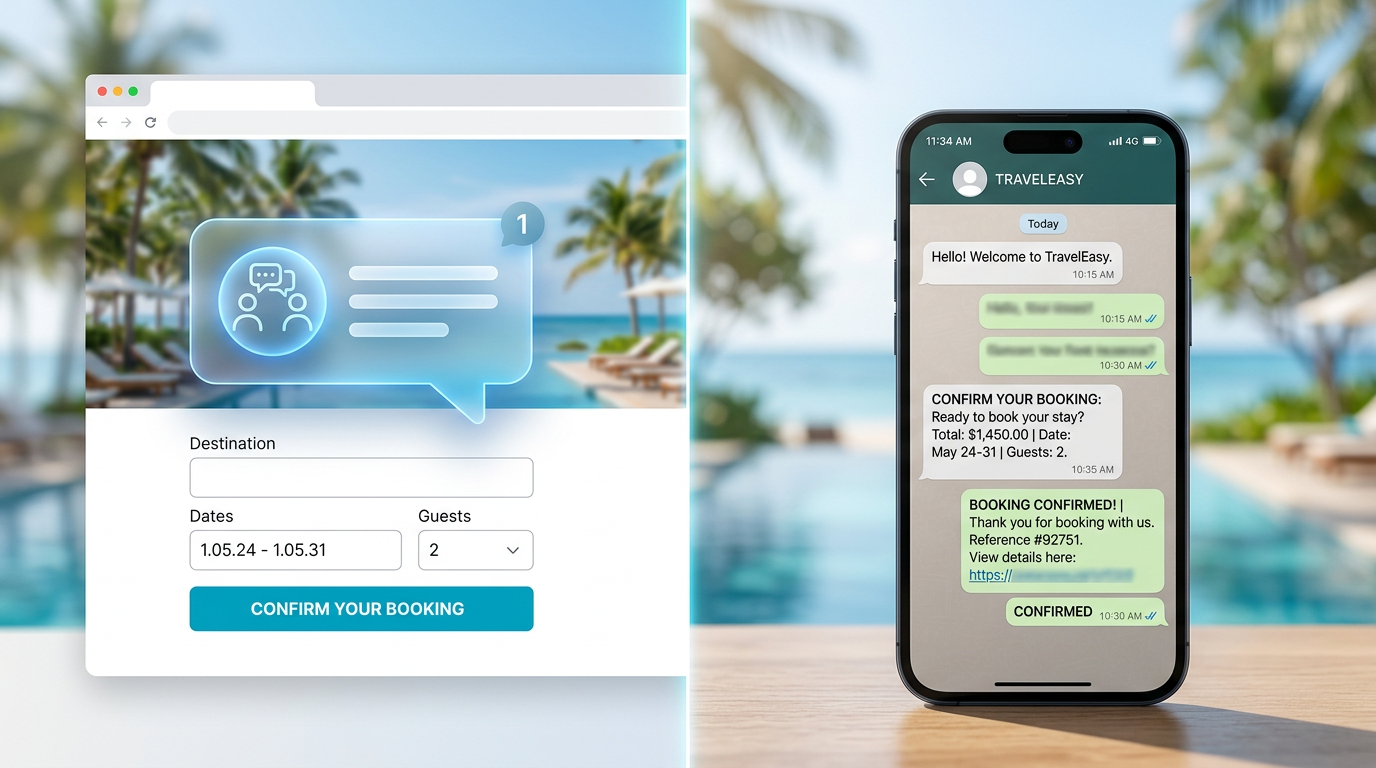
Website chat generally converts higher for first-time visitors by providing immediate answers during the booking flow, while WhatsApp excels at re-engagement and post-booking logistics. Using Smart Chat for instant website inquiries and a Smart Inbox to manage WhatsApp messages ensures you capture leads on both channels without losing operational control.
Table of contents
For tour operators, the gap between a website visitor and a confirmed booking often comes down to a single question about meeting points, group sizes, or weather policies. Choosing between website chat and WhatsApp isn't just a technical preference; it’s a strategic decision that affects your conversion rates, lead ownership, and daily workload.
The Conversion Dynamics of Website Chat vs WhatsApp
When comparing website chat vs whatsapp, operators must consider the traveler's context. A visitor on your website is in 'discovery mode.' They are comparing your 10:00 AM walking tour with a competitor's. If they have to leave your site to open WhatsApp, you risk losing their attention to a notification or a different tab. In contrast, Smart Chat keeps them on the page where the 'Book Now' button lives.
Why this happens: Website chat captures high-intent traffic at the moment of peak interest. Travelers often hesitate due to small uncertainties—like whether a boat tour is stroller-accessible or if a private group discount applies. According to researches, customers are more likely to shop with a merchant they can message directly. If that message happens within the browser, the friction to purchase is nearly zero.
How to solve it: Deploy Smart Chat to handle the 'Pre-Purchase' phase (FAQs, availability, pricing) and use WhatsApp for the 'Post-Purchase' phase (meeting point directions, last-minute weather updates). This creates a seamless transition from browser to phone.
When to use each option: Use website chat when the goal is to reduce bounce rates and increase immediate conversion. Use WhatsApp when you need a persistent line of communication, such as for multi-day itineraries or private concierge services where the sales cycle is longer.
Mistakes to avoid: Avoiding website chat because you fear being 'always on.' You don't need to be. A Smart Assistant can handle the initial questions, and if a human is needed, it can escalate the lead.
How to implement it tomorrow:
- Audit your top 5 most common email questions.
- Add those answers to your Smart Chat knowledge base.
- Place the chat widget on your top-selling tour pages first.
- Set an automated 'Away' message that directs urgent arrivals to WhatsApp if it's after hours.
The TravelCS Conversion Framework
To maximize direct bookings, operators should visualize the customer journey through this framework. It identifies where each communication channel fits to prevent lead leakage.
| Stage | Channel Priority | Goal | Operator Example |
|---|---|---|---|
| 1. Discovery | Website Chat | Answer 'Can I...?' | A guest asking if the 4x4 tour is safe for seniors. |
| 2. Validation | Smart Chat | Confirm Availability | Checking if there are 4 spots left for tomorrow's sunset sail. |
| 3. Transaction | Smart Booking | Secure Payment | Guest completes checkout via Smart Booking by TravelCS. |
| 4. Logistics | Day-of Coordination | Sending a Google Maps pin for the meeting point to the guest's phone. | |
| 5. Retention | WhatsApp/Email | Reviews & Referral | Sending a 'Thank You' message with a GetYourGuide review link. |
This framework ensures that Smart Chat acts as the closer on the website, while WhatsApp acts as the operational anchor for the day of the tour.
Lead Ownership and Data Privacy
A major distinction in the website chat vs whatsapp debate is who owns the data. When a guest messages you on WhatsApp, you have their phone number—a powerful asset for re-engagement. However, website chat allows for better tracking of the visitor's journey (e.g., which tours they viewed before asking a question).
Why this happens: WhatsApp is a 'walled garden.' While it offers high open rates, it doesn't naturally integrate with your website's analytics. Website chat, particularly Smart Chat, allows operators to see the context of the inquiry, such as the specific tour page the guest was viewing.
How to solve it: Use a Smart Inbox that integrates both WhatsApp Business and website chat. This centralizes the history so that whether a guest chats on the site or via WhatsApp, your team sees the same profile.
When to use each option: Prioritize WhatsApp for guests from regions like Europe and LATAM, where it is the primary communication tool. Prioritize website chat for US and Canadian markets where 'click-to-chat' is the expected standard for e-commerce transactions.
Mistakes to avoid: Sending sensitive payment links or credit card requests over unencrypted individual WhatsApp accounts. Always use Stripe via a secure booking platform to handle transactions.
How to implement it tomorrow:
- Sign up for a WhatsApp Business API account (not the personal app).
- Connect your WhatsApp and website chat to a unified Smart Inbox.
- Update your Privacy Policy to mention how you handle data on both channels.
TravelCS Insight: The 'Open Tab' Syndrome
In our experience, tour operators don't just compete with regional rivals; they compete with the 'Open Tab' syndrome. Travel planning is a high-distraction activity. A user typically has 5-10 tabs open: your site, two competitors, an OTA, a restaurant blog, and Google Maps.
If a visitor asks a question on your website and doesn't get an answer within 60 seconds, they don't wait—they move to the next tab. Many operators lose bookings not because they are more expensive or have worse reviews, but because they weren't the first to answer. Website chat powered by Smart Assistants solves this by providing instant gratification, effectively 'locking in' the guest before they click away.
Automation Tiers: When to Delegate to AI
Not all messages are created equal. To stay efficient, you must categorize your communication into three tiers. This prevents your staff from burning out on repetitive FAQs while ensuring high-value private tours get the human touch they deserve.
Tier A: Fully Automatable
- Examples: 'Where is the meeting point?', 'Is there a bathroom on the bus?', 'What is your cancellation policy?'
- Mechanism: Smart Chat answers these instantly using your uploaded documents.
Tier B: Data-Dependent (Needs Live Integration)
- Examples: 'Are there 5 spots left for tomorrow?', 'Can I move my booking to Friday?'
- Mechanism: This requires live data. If you use GetYourGuide, TravelCS can check real-time availability via API. For other systems, it may require a human to verify the manifest.
Tier C: Human Review Required
- Examples: Custom wedding proposals, complex accessibility requirements involving medical equipment, or angry complaints about a late guide.
- Escalation Trigger: When the Smart Assistant detects a 'sentiment shift' or a 'custom request tag,' it notifies a human via the Smart Inbox.
Why this happens: Guests appreciate speed for simple facts but value empathy for complex problems. Mixing these up leads to poor reviews.
How to implement it tomorrow:
- Categorize your last 50 inquiries into these three tiers.
- Draft 'Smart Replies' in your Smart Inbox for the Tier B questions.
- Enable Smart Assistants to handle Tier A entirely.
Operational Impact: Managing the Noise
The biggest fear operators have with adding more channels is the 'notification nightmare.' Managing a website chat, a WhatsApp account, and an email inbox can lead to missed messages and double bookings.
Why this happens: Fragmentation. When your communication tools are separate from your booking calendar, information gets lost. A guest might cancel on WhatsApp, but the guide still shows up at the meeting point because the manifest wasn't updated. Handling cancellations and date changes against the booking itself closes that gap.
How to solve it: Centralization is the only cure. By using Smart Inbox, you bring Gmail, Outlook, and WhatsApp into one screen. If you are API-certified with GetYourGuide, availability syncs automatically, reducing the manual workload.
When to use each option: If you are a solo operator, lean heavily on Smart Chat to filter the noise. If you have a dedicated sales team, WhatsApp can be used as a proactive sales tool for outbound follow-ups on abandoned carts.
Mistakes to avoid: Giving out your personal cell phone number for WhatsApp. This destroys work-life balance and makes it impossible to hand over the 'shift' to another team member.
How to implement it tomorrow:
- Transition your WhatsApp to a Business Profile.
- Route all incoming website and WhatsApp messages to a single Smart Inbox.
- Set up automated 'Out of Office' hours so expectations are managed 24/7.
Conclusion
In the debate of website chat vs WhatsApp, the winner is the operator who uses both strategically. By using the TravelCS Conversion Framework, you can ensure that Smart Chat captures visitors while they are on your site, while WhatsApp maintains the relationship until the tour begins. Centralizing these conversations in a Smart Inbox is the key to scaling your operations without losing the personal touch that makes tours and activities special.
Sources
Frequently asked questions
Does TravelCS integrate with my booking system?
TravelCS is API-certified with GetYourGuide for live availability and booking management. Today TravelCS is API-certified with GetYourGuide, and also connects Gmail, Outlook, WhatsApp Business and Stripe. We don't confirm any other booking or OTA integration, and we don't publish delivery dates — check the TravelCS integrations page for the current live list. For other systems, TravelCS can communicate with guests while you manage the logistics in your existing software.
Can I use WhatsApp and Website Chat at the same time?
Yes. Most successful operators use Smart Chat for immediate website inquiries and WhatsApp for post-booking support and mobile-first communication.
Is the Smart Chat hard to install?
No, it typically involves adding a small snippet of code to your website header, similar to a Facebook Pixel or Google Analytics tag.
How does TravelCS handle multilingual guests?
Smart Assistants can communicate in multiple languages, automatically translating guest inquiries and your responses to ensure a smooth experience for international travelers.
Can I take payments through the chat?
TravelCS integrates with Stripe, allowing you to securely process payments and send booking confirmations via the Smart Booking product.
Sources
Femke Irik is the founder of TravelCS, an AI platform built specifically for tour operators. Working closely with tourism businesses, she focuses on helping operators automate customer communication, increase direct bookings, and reduce repetitive manual work through practical AI solutions.